
Market data depth levels
In short: L2 answers “how much sits at this price?” L4 answers “how is that size stacked, and which wallets are behind it?”
One large resting order and many small ones can look the same on L2. L4 shows the composition of the level.
L4 in MarketLens
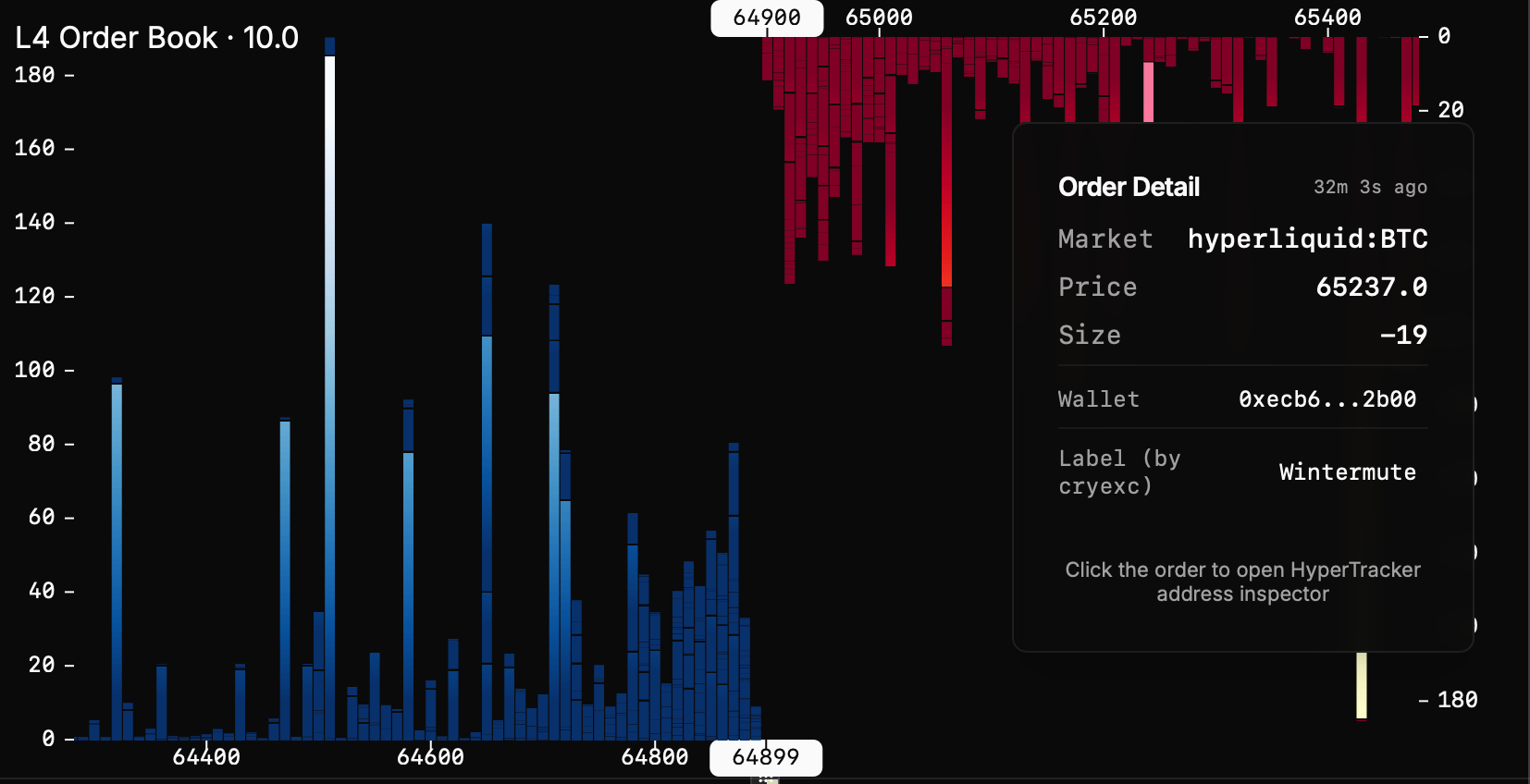
The L4 view draws each resting order as its own visual unit (not only a single bar for the whole price level).- Hover an order to inspect it (size, price, and related fields)
- Same interaction model as L2: the book is zoomable and draggable (pan) so you can move through price levels at the detail you need
Wallets and external tools
Because each order is address-tagged, L4 is a natural bridge into Hyperliquid wallet tooling.- Wallet labels / database — MarketLens uses address metadata from cryexc HL addresses where available, so known or labeled wallets are easier to recognize in the book
- Wallet inspector — click an order to open a deeper look in HyperTracker (wallet / activity inspector for that address)